How to Build a LinkedIn Lead Gen Agent That Qualifies ICP Prospects From Viral Posts
When a LinkedIn post goes viral in your niche, its comment section is a pre-qualified list of buyers already signaling intent. This workshop shows you how to scrape those commenters, filter them against your ICP, and get a ranked outreach list — using either Relay App or Claude.

Will Leatherman
Founder, Catalyst
TLDR
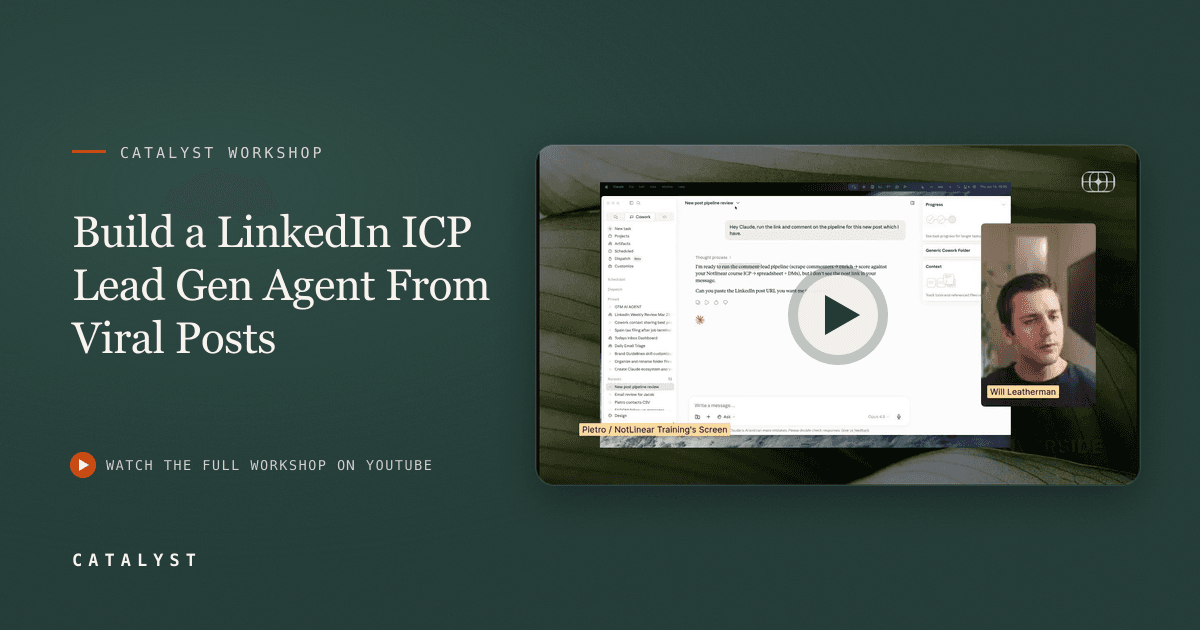
Pietro, founder of NotLinear Training, live-built a lead extraction workflow that scrapes commenters from a viral LinkedIn post, checks each profile against a written ICP definition using AI, and exports a qualified list with a fit score and personalized outreach message. The build runs in Relay App (structured, auditable, schedulable) and in Claude (conversational, faster to start). Pietro uses this exact system in his own business and says it is his primary tool for filling workshop seats. This article walks through both paths and the decision framework for when to use each.
LinkedIn's comment sections are intent signals hiding in plain sight. When someone comments on a post about the exact problem you solve, they are telling you — publicly — that this topic matters to them. The challenge is extracting those signals at scale and filtering out the noise.
In this Catalyst workshop, Pietro — who reaches approximately 500,000 people a month on LinkedIn and Substack through his AI education business NotLinear Training — live-built the workflow he actually uses to fill seats in his own paid workshops. Will Leatherman hosted and added the Claude perspective. Together they demonstrated the full build twice: once in Relay App and once in Claude.
What Is This Workflow and Who Is It For?
This is a LinkedIn lead extraction and qualification workflow for founders, operators, and agency owners who sell a specific product or service to a defined ICP (ideal customer profile). It is not a mass-blast tool. It is designed for high-signal outreach — identifying the 20 people in a comment section of 200 who actually fit your buyer profile, then reaching out with a message personalized to what they wrote.
The core output is a spreadsheet with four columns: name, LinkedIn URL, profile summary, and ICP fit (yes / no / uncertain) with an explanation. Optional extensions add Apollo email enrichment and a personalized outreach message for each row.
Pietro's use case is direct: "When I have a workshop which is not getting organic traction, I run this. I go to big profiles in my space and I say, okay, this post speaks to my audience — I'm going to invite those people. I'm not going to try and sell something. Just a soft CTA."
What Do You Need Before You Start?
The Relay path requires three accounts, all free to get started:
| Tool | Role | Cost |
|---|---|---|
| Relay App | Workflow orchestration | Free tier available |
| Apify | LinkedIn post comment scraper | Free tier available |
| Google Drive | Stores the output sheet | Free |
The Claude path requires:
- Claude (any plan with computer use or MCP connector support)
- Apify account (same scraper, accessed via Claude's Apify connector)
- Apollo account (optional, for email enrichment)
Neither path requires connecting your personal LinkedIn account. The scraping runs through Apify's infrastructure, not your profile. As Pietro said when a participant asked about LinkedIn terms of service risk: "The only actor that could have an issue is Apify, because all of the scraping is done through them and not at any point through your own profile."
How Do You Build the Relay App Version?
Relay structures the workflow as a sequence of steps you can audit individually. Here is the build Pietro walked through live.
Step 1: Create a new workflow with a manual trigger
In Relay, click + and create a new workflow. Name it something like "viral LinkedIn post extractor." Set the trigger to Manual and define one input: `linkedin_post_url`. This means every time you find a viral post worth extracting, you paste the URL here and start the run.
You could automate the trigger — for example, scrape a specific creator's posts every morning — but Pietro keeps it manual to control credit spend. Automated scraping of large comment sections can consume significant Apify credits.
Step 2: Define your ICP as a constant
Add a Utility step → Create a constant, set type to multi-line. Write a plain-language description of your ICP. Pietro's example: "C-level owner or director of a tech startup." Keep it simple — if you are too narrow, the AI will exclude people who are actually good fits. The definition will be matched against what is publicly visible on each person's LinkedIn profile.
Step 3: Use Apify to scrape the commenters
Add an Apify step → Run actor. Search for "LinkedIn post comment scraper" in the actor store and select the one with the best reviews and usage count. Point the post URL input at the `linkedin_post_url` from step 1. Set a maximum comment count (start low — 50 to 100 — while testing).
When you connect Apify for the first time, use the Relay assistant (the AI copilot built into Relay) to auto-configure the output format. If the button does not work, paste the post URL into the assistant and tell it to configure the actor output manually. It will run a test scrape and map the data structure for you.
Step 4: Add an iterator to process each commenter
Add an Iterator (or "loop over a list") step and connect it to the list of commenters from the Apify output. Inside the iterator — meaning it will run once per person — add two steps:
- A LinkedIn step → Search profile: pull each commenter's LinkedIn profile using their profile URL from the Apify output.
- An AI step → Custom prompt: ask the model to check whether the profile matches your ICP definition (reference the constant from step 2), and return the full name, LinkedIn URL, a short profile summary, ICP fit (yes/no/uncertain), and explanation.
Pietro used GPT-4 for this step but noted you can swap in Claude or Gemini. Use "uncertain" for profiles with too little information and exclude them from outreach — this reduces false positives.
Step 5: Write results to Google Sheets
Add a Google Sheets step → Write to a new spreadsheet. Map the AI output fields to columns. Set the filename to something like "Post extraction — [current date]." The result is a new Google Sheet in your Drive after each run, organized by post.
How Do You Do the Same Thing Directly in Claude?
The Claude path trades structure for simplicity. You do not build anything. You describe the process and let Claude orchestrate the tools.
Pietro's starting prompt (paraphrased from the live demo):
"I found a LinkedIn post that speaks to my audience. I want to extract all of the people who commented on that post. Use the best actor you can find on Apify. Generate a list with all the information you can find, then check with me for the next step. Here is the post: [URL]."
Before running, install the Apify connector in Claude's settings under Integrations. It is pre-approved and takes about 30 seconds. If you want email enrichment, install the Apollo connector the same way.
Claude then:
- Identifies the right Apify actor without you specifying it
- Runs the scrape (Pietro's demo extracted 82 commenters from a single post — 68 individuals, 11 company pages, 2 self-comments by the author)
- Proposes next steps, which you approve sequentially
For ICP matching, tell Claude your product and ICP description and ask it to rank each person on a 1-5 scale based on fit. If you have a database of past customers (a Maven course roster, a CRM export), you can paste or link it and Claude will cross-reference it for better calibration.
For outreach messages, give Claude one example message that has worked well, and it will personalize a variant for each qualified lead based on their specific comment.
The full Claude run Pietro demonstrated ended with a CSV containing ranked ICP fits and personalized outreach messages ready to send — with no workflow built.
When Should You Use Relay vs Claude?
Pietro gave the clearest answer to this question he gets asked most: "Before I was doing more with Relay. Now I rebalanced a bit — 80% in Claude and 15% in a workflow tool for things which are really, really repetitive."
| Factor | Use Relay | Use Claude |
|---|---|---|
| Needs to run on a schedule or trigger | Yes | Not reliably |
| You want per-step auditability | Yes | Limited |
| You want to mix models per step | Yes | Single model per session |
| One-off or exploratory | No | Yes |
| Fast to start, minimal setup | No | Yes |
| Needs to scale reliably | Yes | Less predictable |
The core principle: use Relay when the workflow needs to happen reliably without your input — triggered by a form submission, a calendar event, or a time window. Use Claude when you are running it manually and want to iterate on the logic in real time.
For this specific lead gen workflow, Will's take: "I think Relay is great for things that need to happen on a schedule or routine that are way more predictable. Whereas I'm sitting talking to Claude all day every day at this point."
How Do You Turn This Into a Reusable Claude Skill?
Once you have run the Claude version a few times and the prompt is stable, save it as a Claude Skill. Pietro's skill is called "LinkedIn comment lead pipeline." After saving it, his entire workflow becomes: open Claude, say "run the LinkedIn comment lead pipeline for this post [URL]," and get back the CSV.
To create a skill in Claude:
- Go to Settings → Skills
- Click + New Skill
- Name it and paste in the full workflow description, including ICP definition, which connectors to use, and what output format you want
Claude will recognize when you invoke the skill and execute the full process without you walking it through the steps again.
This is the same pattern covered in how to build a Claude workflow that turns 1 daily idea into 5 ready-to-post drafts — document the process once, save it, call it by name.
The Takeaway
Viral posts in your niche are pre-qualified prospect lists. The people commenting on a post about the exact problem you solve have already raised their hand. This workflow — in Relay or in Claude — turns that signal into a ranked outreach list in under 30 minutes.
Start with Claude if you have never used Relay. Run it manually a few times to validate your ICP definition. Then, if you want it to happen automatically or run weekly without you touching it, build the Relay version. Save the process as a Claude Skill either way.
One next action: find one viral post in your niche from the past week. Count the comments. If there are 50 or more, that is your first test case.
For more on making your content visible to AI search engines — so buyers find you the way Pietro's audience finds him — check the free AEO audit at gotcatalyst.com/aeo-audit.
The Content Engineer
Enjoyed this article?
Frameworks like this, weekly. No fluff, just original research and actionable insight.

Ready to turn insight into pipeline?
We work with B2B companies that know content is the moat. Let's talk.